Step 1 · Upload
Upload your image by dragging and dropping, or click to select. We support JPG, JPEG, PNG, WEBP, and other popular formats. There is no resolution limit on uploaded images.
Inexpensive and reliable in quality, but a bit slow in speed.

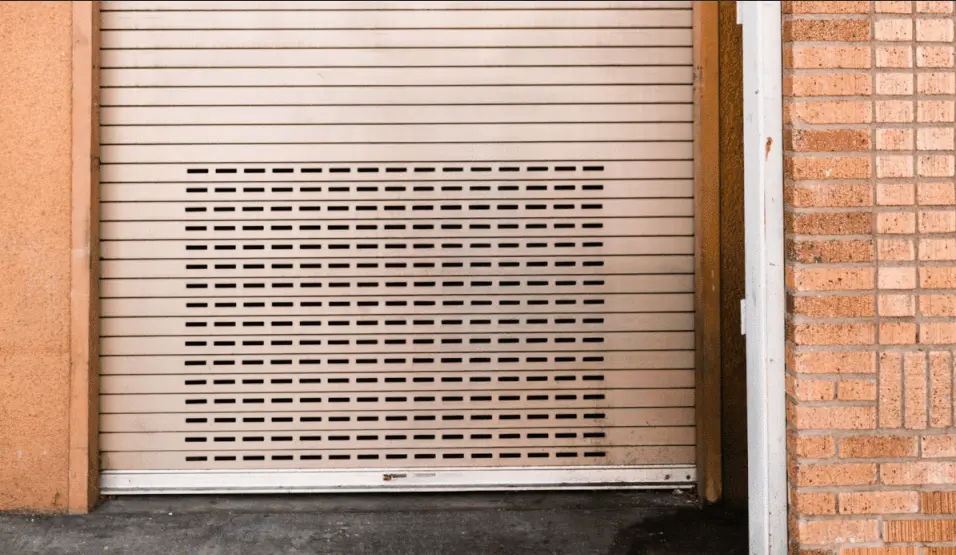
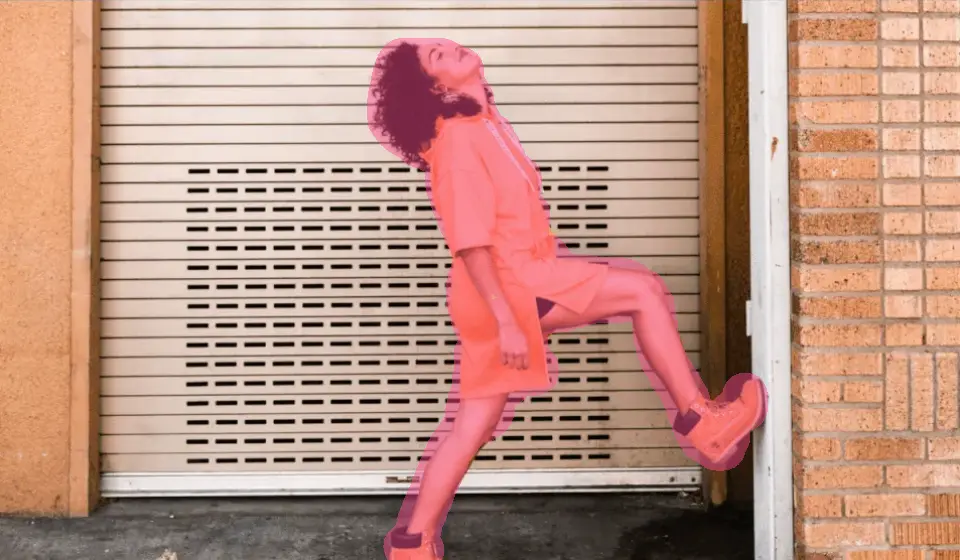
The best AI object remover for anyone who needs to delete objects from pictures — simple, accurate, and fast.


AI Create
Type anything you can imagine. AI transforms your ideas into aesthetic images in seconds.
Experience now

Four simple steps to erase objects from photos online with our free magic eraser tool.
Upload your image by dragging and dropping, or click to select. We support JPG, JPEG, PNG, WEBP, and other popular formats. There is no resolution limit on uploaded images.
Use the brush to paint over the area you want removed. Adjust brush size with the slider and zoom in for precision. Cover both the object and its shadow for the best results.
Click erase when your selection is ready. If results are not perfect, erase again on the same area — the AI object remover often improves on the next pass. Undo and re-select anytime.
When you are satisfied, download your edited image. Save in the format you need — JPG, PNG, WEBP, or other formats for social media, listings, or print.
Upload your image by dragging and dropping, or click to select. We support JPG, JPEG, PNG, WEBP, and other popular formats. There is no resolution limit on uploaded images.
Use the brush to paint over the area you want removed. Adjust brush size with the slider and zoom in for precision. Cover both the object and its shadow for the best results.
Click erase when your selection is ready. If results are not perfect, erase again on the same area — the AI object remover often improves on the next pass. Undo and re-select anytime.
When you are satisfied, download your edited image. Save in the format you need — JPG, PNG, WEBP, or other formats for social media, listings, or print.
Start erasing nowFrom real estate to social media — remove unwanted objects from photo and image assets across every industry.
Make listings shine — remove people, furniture, cars, and clutter from property photos.
Clean up shots by erasing distractions, power lines, and unwanted background elements.
Polish lookbook and campaign images — delete objects from pictures without reshooting.
Present vehicles with clean backgrounds by removing license plates, stickers, and clutter.
Create professional product photos — remove unwanted things from images for cleaner storefronts.
Post-ready content in seconds — magic eraser free edits for Instagram, TikTok, and more.
Ready to clean up your photos?
Try Magic Eraser free — upload, brush, and erase in seconds.
Here is how our object remover stands out as the best tool to remove objects from photo and image files.
No skill or experience required. Use the brush as freely as a child would — anyone can remove unwanted object from image files in minutes.
Zoom in and adjust brush size to control exactly what you erase. Our AI object remover respects edges, textures, and lighting for natural fills.
With AI-assisted editing, get stunning results in seconds instead of hours. Erase object photo edits faster than manual retouching.
Powerful enough for professional designers, photographers, and editors to use every day — from quick fixes to commercial deliverables.
Follow these expert tips when using magic eraser photo tools to remove unwanted objects from your images.
Ensure your brush stroke always covers both the object and its shadow before you erase. Shadows left behind are the most common cause of unnatural results.
If the erased area gets filled with content you didn't intend to keep, undo the action immediately. The tool provides both a one‑step undo and a dedicated eraser to revert unwanted fills.
Avoid painting over areas you wish to preserve. Use a thin, elongated brush to mask only the unwanted object, keeping the affected region as tight as possible.
Unsatisfactory results are often caused by an overly broad or inaccurate brush area. Try narrowing your selection range and erasing again. If the result still isn't ideal, repeat with a smaller, more focused mask — multiple light passes yield better precision than one large stroke.

Flexible credit packs and subscriptions for Magic Eraser AI and all tools on the platform.
Includes
Includes
Everything in Standard, plus
Everything you need to know about using our magic eraser online to remove objects from photos.
Magic Eraser is an AI-powered object remover that lets you delete objects from pictures by painting over them. Our magic eraser AI uses inpainting to fill erased areas with realistic background — so you can remove unwanted objects from images without manual retouching.
Upload a photo, brush over the object you want removed, and click erase. The AI object remover analyzes surrounding pixels and generates a natural fill. You can erase again on the same area for better results — the model often improves with each pass.
Magic Eraser supports JPG, JPEG, PNG, WEBP, and other popular image formats. Upload any resolution — there is no limit on image size for uploads.
Yes. For optimal results, you can first try masking multiple unwanted objects and erasing them in one pass. If the outcome isn't satisfactory, switch to removing them one object at a time in separate steps — mask each object along with its shadow, erase, then move to the next.
Our object remover preserves original resolution. Edited areas are filled at the same quality as your source image.
Yes. You can try Magic Eraser free on our platform. New users receive bonus credits to test the tool. Daily check-ins earn additional credits — keep your streak for bigger bonuses on day 3 and day 7.
You can explore the tool interface without signing up. To erase objects and download results, sign in with your Google account. No complex registration required.
Real estate listings, product photography, fashion campaigns, auto sales, e-commerce, social media content, comics, and everyday photo cleanup. Any time you need to remove unwanted object from image files, Magic Eraser online is the fastest path.
Most edits complete in seconds. Complex images with large erased areas may take slightly longer. Processing times of 10–60 seconds are normal during peak usage.
Yes. Yes. Content generated with Magic Eraser on paid plans includes a commercial use license. You must ensure that your original images are properly licensed for commercial use. Upon such confirmation, you may use the edited images for advertising, listings, client work, and other commercial purposes per our Terms of Service.
Join thousands of creators cleaning up photos with the best free magic eraser online. Upload, brush, erase — unlimited creativity awaits.









